
How to set the search design and Ajax search functionality in Magento 2 using the Pearl Theme
The Pearl Theme provides flexible, out-of-the-box design options for both the header search and Ajax search results. You can select from multiple layouts and fine-tune them to match your store’s branding.
Header Search Design
You can choose between two header search versions:
- Version 1 – Default Magento search
- Version 2 – Enhanced Pearl Theme search
To configure:
Admin > Store > Configuration > Custom Header > Search Options > Search Version
Search Version 1 (default Magento)

Search Version 2

- Open (White)

- Open (Black)

Additional customization options are available for both versions in the Admin panel.


Ajax Search Results Design
You can choose between three Ajax search result layouts:
- Version 1 – Compatible only with Header Search V1
- Version 2 (White) – Horizontal layout, compatible only with Header Search V2
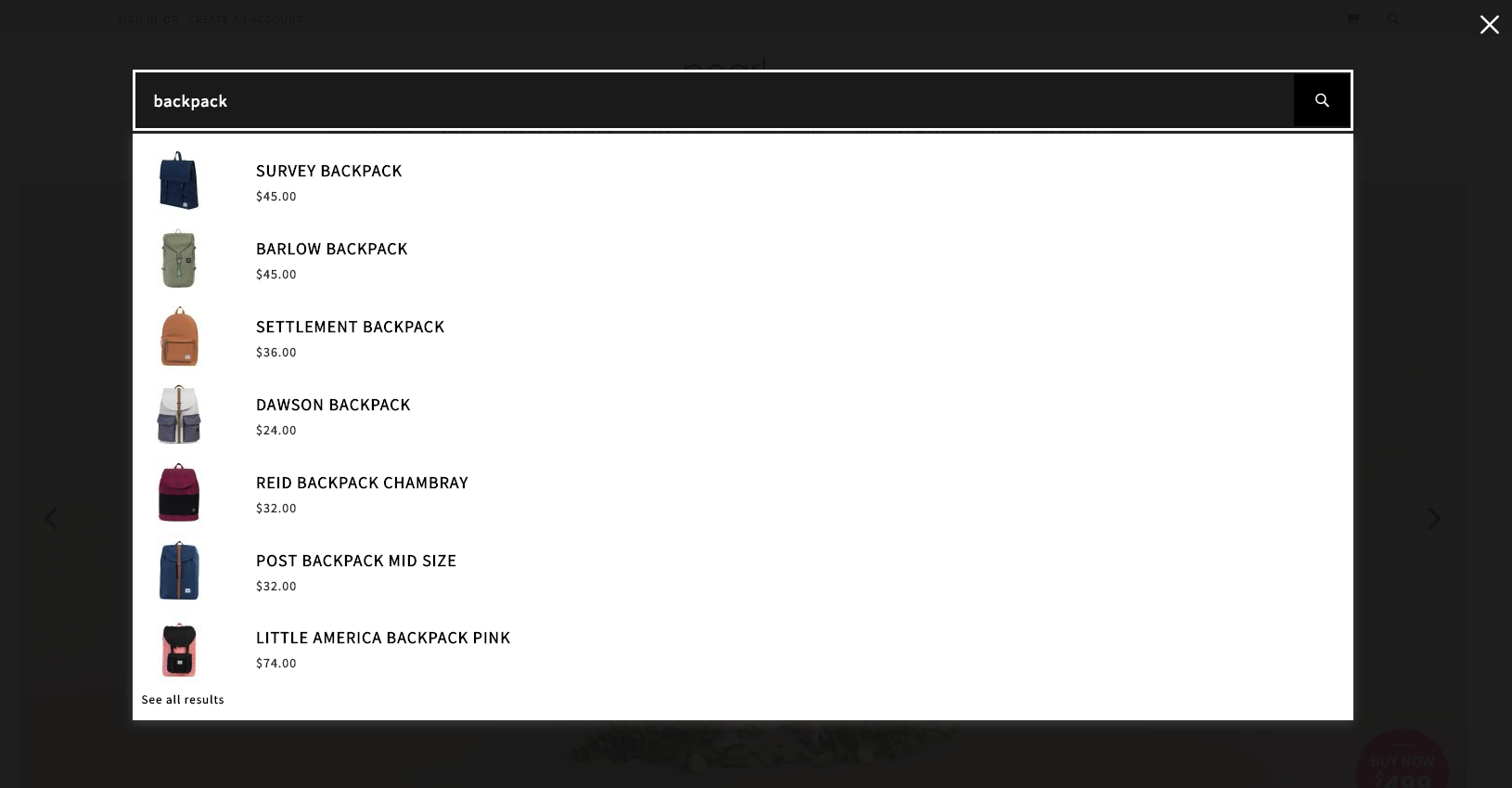
- Version 2 (Black) – Vertical layout, compatible only with Header Search V2
To configure:
- Select Search Design:
Admin > Store > Configuration > Custom Header > Search Options > Search Version
- Configure Ajax Search Autocomplete:
Admin > Store > Configuration > Ajax Search Autocomplete
Examples
Ajax Search Results V1 (with Header Search V1)

Ajax Search Results V2 (White, Horizontal)

Ajax Search Results V2 (Black, Vertical)
Additional Ajax search settings can be found under Admin > Store > Configuration > Ajax Search Autocomplete.
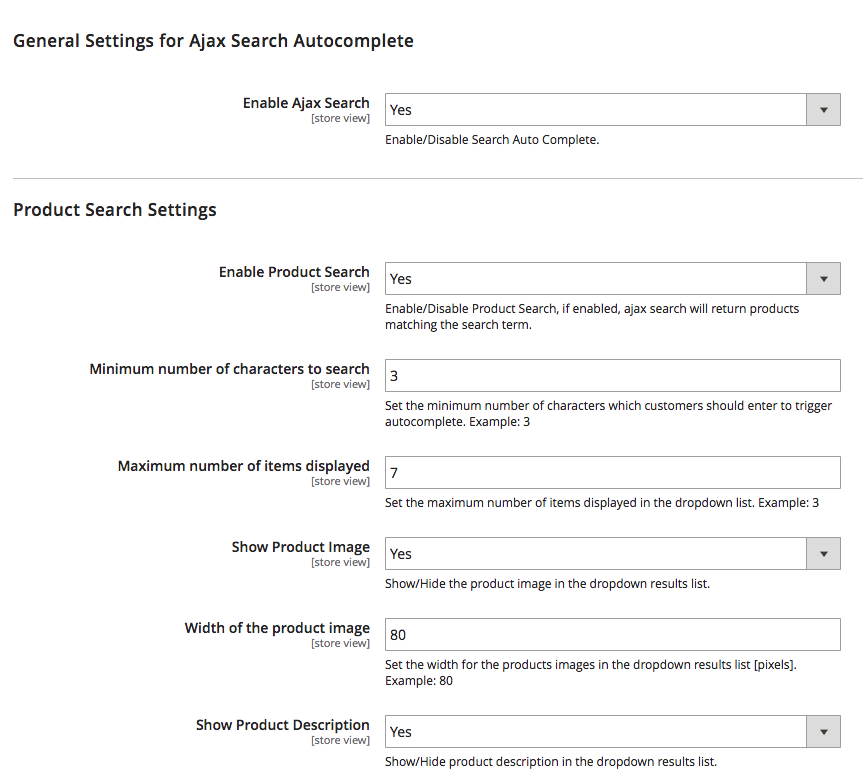
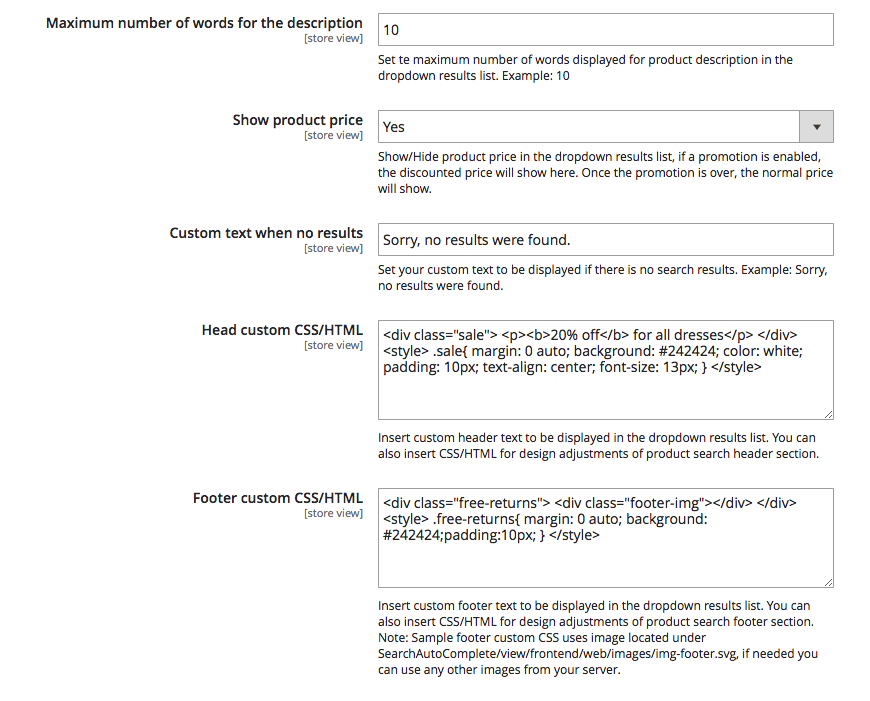
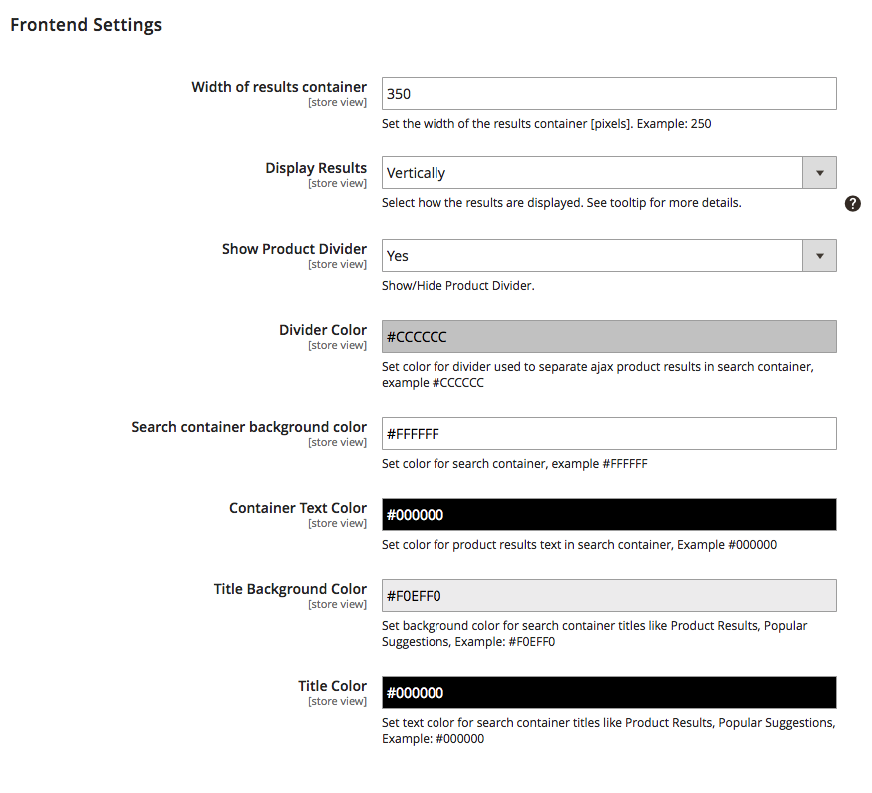
Demo Reference
If you’d like to match the configuration from our demo store, log in to the Pearl Theme Demo Admin (try using incognito mode if it doesn’t auto-login) and check the Search and Ajax Autocomplete settings for the relevant store view.
Updated on: 17/09/2025
Thank you!