
How to Go Live with Magento 2 in less than 30 days using the Pearl Theme - 50 step guide [tutorial]
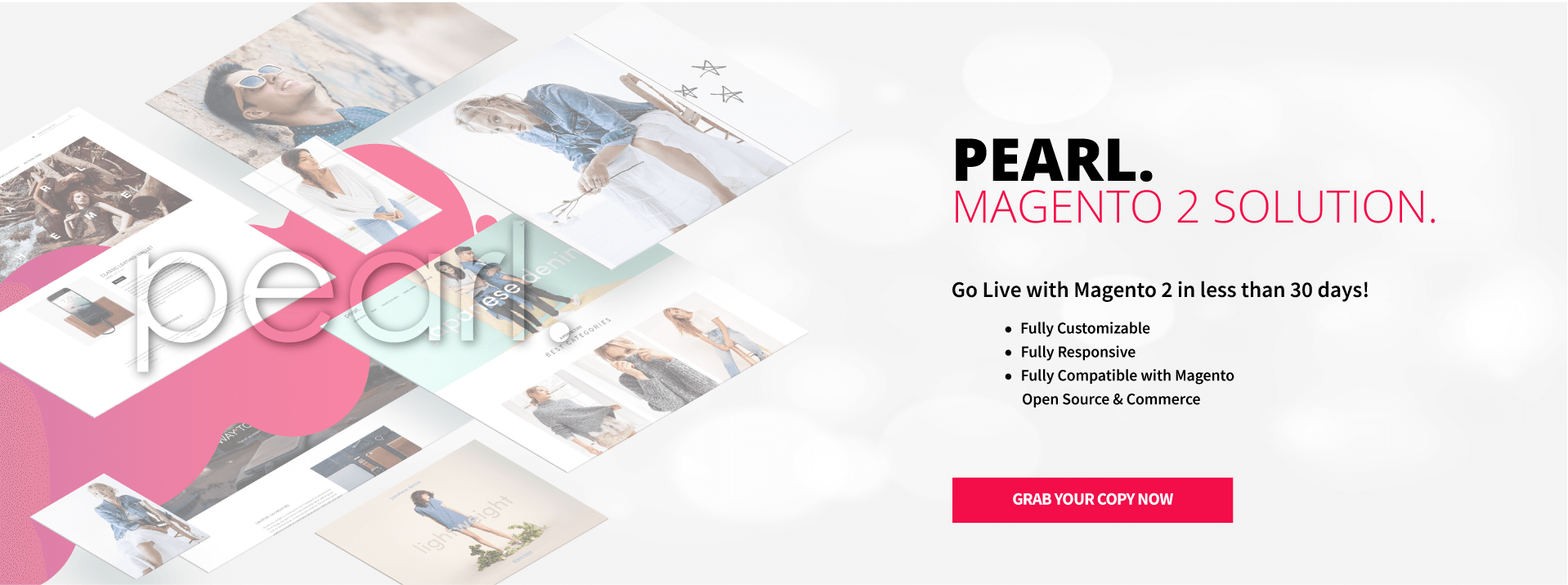
A. Choose the right Magento 2 hosting
1) Select optimized Magento 2 hosting
Picking the right host is critical for performance, security, and uptime—especially with Magento 2. This guide helps you evaluate providers:
https://support.weltpixel.com/hc/en-us/articles/115004433688-Choosing-the-right-Magento-2-hosting
B. Magento 2 installation
2) Install Magento 2 (optional)
Many hosts provide pre-installed Magento. If not, use this step-by-step Composer guide to install Magento 2 via SSH:
https://support.weltpixel.com/hc/en-us/articles/115004531428-How-to-install-Magento-2-with-sample-data-via-Composer-Step-by-step-guide-
C. Pearl Theme installation
3) Install the Pearl Theme for Magento 2
Paid WeltPixel themes install and update via Composer only (since 1.16.0). Get Composer access under My Products at account.weltpixel.com, then follow the Composer steps:
https://help.weltpixel.com/en/article/how-to-install-an-extension-in-magento-2-weltpixel-guides-u0d9ay/
D. Magento catalog configuration
4) Add/import products and categories
Populate a few products and categories first so you can see real layouts while configuring design options. Official docs by product type:
https://docs.magento.com/m2/ce/user_guide/catalog.html
E. Design configuration with Pearl Theme
5) Set page widths for store sections
You can run a full-width homepage and use a fixed max-width (e.g., 1400px) for category, product, and default pages. Configuration details:
https://support.weltpixel.com/hc/en-us/articles/115003702133-How-to-customize-the-width-for-your-store-sections-in-Magento-2-Pearl-Theme
6) Configure the header and upload your logo
a) Choose a header style (V1–V4) and adjust colors, sticky behavior (desktop/mobile), icons, and more. Demo: https://pearl.weltpixel.com
Guide: https://support.weltpixel.com/hc/en-us/articles/115003628833-How-to-customize-your-header-in-Magento-2-Pearl
b) Upload your logo and apply your brand:
https://www.weltpixel.com/resources/PearlTheme/User-Guide-WeltPixel-Pearl-Theme-Magento2.html#how-to-change-logo
c) Set a global promo or “demo store” message if needed:
https://www.weltpixel.com/resources/PearlTheme/User-Guide-WeltPixel-Pearl-Theme-Magento2.html#general-settings
7) Configure search design (header) and Ajax Search results
- Header Search: Version 1 (default) or Version 2
- Ajax Results: Version 1, Version 2 (White / Horizontal), Version 2 (Black / Vertical)
Configure the Mega Menu
Create professional, flexible navigation (default/sectioned/boxed/full-width) and set mobile breakpoints. Demo: https://pearl.weltpixel.com
Guide: https://www.weltpixel.com/resources/PearlTheme/User-Guide-WeltPixel-Pearl-Theme-Magento2.html#mega-menu
9) Set up the footer (version/logo/links)
a) Choose Footer V1–V4
b) Configure the Pre-footer
Demo: https://pearl.weltpixel.com
Guide: https://www.weltpixel.com/resources/PearlTheme/User-Guide-WeltPixel-Pearl-Theme-Magento2.html#prefooter-footer
10) Build your homepage with Pearl elements
- Set/change your homepage. View demos: https://pearl.weltpixel.com
- Customize content, text, and images:
- Add sliders/OWL Carousels (optional): https://www.weltpixel.com/owl-carousel-and-slider.html
- Integrate Instagram (optional): https://www.weltpixel.com/instagram-widget-advanced-for-magento-2.html
- Combine sections from multiple demos (optional)
- Insert theme features on the homepage/any page (optional):
11) Configure category page layout
- Choose hover details and which elements display
- Set grid (2/3/4/5 products per row)
- Configure toolbar and pagination
- Show/hide item elements (hover and non-hover)
- Enable Quick View (Design V1/V2):
12) Configure product page layout
Demo: https://pearl.weltpixel.com
- Gallery/Info layout (V1–V4 or custom)
- Tabs/accordion
- Configure product page carousels (OWL): https://www.weltpixel.com/owl-carousel-and-slider.html
13) Store identity and other settings
- Button and store colors
- Fonts
- Store links
- Ratings color
- Breadcrumbs
- Back to top button
14) Configure the Contact page and contact info
Two designs included:
- Contact Page V1 (default Magento)
- Contact Page V2 (WeltPixel)
15) Configure the Custom Thank You Page
Included in the Pearl Theme Pack (adds newsletter signup, custom blocks, and more).
https://www.weltpixel.com/custom-checkout-thank-you-page.html
16) Configure store emails
a) Enhanced Emails (Professional Pack) — responsive templates with editor + Gmail markup:
https://www.weltpixel.com/magento-2-email-template-editor-with-gmail-markup-support.html
b) Default Magento emails:
https://docs.magento.com/m2/ce/user_guide/configuration/sales/sales-emails.html
F. Performance and SEO
17) Configure an advanced XML sitemap
Included in the Pearl Pack. Generate sitemaps and control visibility for products, categories, CMS, plus add custom URLs with attributes.
https://www.weltpixel.com/resources/PearlTheme/User-Guide-WeltPixel-Pearl-Theme-Magento2.html#sitemap
18) Enable Rich Snippets (deprecated)
Included in the Pearl Pack. Add Google Rich Results, Open Graph, Twitter Cards, and Pinterest Rich Pins.
https://www.weltpixel.com/resources/PearlTheme/User-Guide-WeltPixel-Pearl-Theme-Magento2.html#rich-snippets
19) Use Ajax Layered Navigation with multi-select
Included in the Pearl Pack. Help customers filter fast (size, color, material, price, etc.) and boost conversion.
https://www.weltpixel.com/resources/PearlTheme/User-Guide-WeltPixel-Pearl-Theme-Magento2.html#layered-navigation
20) Enable Ajax Infinite Scroll or Ajax pagination
Included in the Pearl Pack. Reduce friction and help users browse more products.
https://www.weltpixel.com/resources/PearlTheme/User-Guide-WeltPixel-Pearl-Theme-Magento2.html#ajax-catalog
21) Enable Lazy Loading for images
Included in the Pearl Pack. Load images on scroll across listings, search, PDPs (incl. related/up-sell/cross-sell) to speed up pages.
https://www.weltpixel.com/magento-2-lazy-load-product-extension.html
G. Enhanced analytics and GTM
22) Set up Google Tag Manager & Enhanced Ecommerce (deprecated)
This module has had no releases since July 2023. Its replacement is Google Analytics 4 PRO.
https://www.weltpixel.com/resources/PearlTheme/User-Guide-WeltPixel-Pearl-Theme-Magento2.html#analytics
H. Store setup configuration
23) Country options
https://docs.magento.com/m2/ce/user_guide/stores/country-options.html
24) State options
https://docs.magento.com/m2/ce/user_guide/stores/state-options.html
25) Locale/language settings
https://docs.magento.com/m2/ce/user_guide/stores/locale-options.html
26) Store information
https://docs.magento.com/m2/ce/user_guide/stores/store-information.html
27) Currency setup
https://docs.magento.com/m2/ce/user_guide/stores/currency.html
28) Store email addresses
https://docs.magento.com/m2/ce/user_guide/stores/store-email-addresses.html
29) Taxes
https://docs.magento.com/m2/ce/user_guide/tax/tax-settings-general.html
30) Shipping origin
https://docs.magento.com/m2/ce/user_guide/shipping/point-of-origin.html
31) Shipping methods/rates
https://docs.magento.com/m2/ce/user_guide/shipping/methods-basic.html
32) Payment methods
https://docs.magento.com/m2/ce/user_guide/payment/payment-methods.html
33) Favicon
https://docs.magento.com/m2/ce/user_guide/design/favicon.html
34) Welcome message
https://docs.magento.com/m2/ce/user_guide/design/welcome-message.html
35) Copyright notice
https://docs.magento.com/m2/ce/user_guide/design/copyright-notice.html
I. Speed optimizations
36) Disable unused features & use Advanced Bundling (Speed Optimization module)
https://support.weltpixel.com/hc/en-us/articles/360007965373-Improve-Magento-store-speed-Disable-unused-Pearl-Theme-extensions-and-Design-Elements
37) Follow the Magento 2 speed guide
https://support.weltpixel.com/hc/en-us/articles/115003450474-How-to-speed-up-your-Magento-2-store-and-increase-performance-
J. Extra features
38) Multi-Store, Multi-Brand
Included in the Pearl Pack. Show Brands/Languages in the header and allow seamless cross-store purchasing.
https://www.weltpixel.com/multi-store-multi-brand-language-magento-2.html
Also see:
- Websites/Stores/Views: https://docs.magento.com/m2/ce/user_guide/stores/websites-stores-views.html
- Set child themes for each store view (Pearl multi-store):
39) Smart Product Tabs
Included in the Pearl Pack. Dynamically add tabs on PDPs based on attribute values (no code).
https://www.weltpixel.com/smart-product-tabs.html
40) Instagram integration
Included in the Pearl Pack. Showcase your Instagram feed anywhere.
https://www.weltpixel.com/instagram-widget-advanced-for-magento-2.html
41) CMS Block Scheduler (Professional Pack)
Schedule/target CMS content (blocks, banners, promos, events).
https://www.weltpixel.com/magento2-cms-block-scheduler.html
42) Full Page Scroll (Professional Pack)
Create immersive presentation pages with full-page sections and optional landscape sliders.
https://www.weltpixel.com/full-page-scroll-for-magento-2.html
43) Enhanced Quick Cart
Included in the Pearl Pack. Upgrade the mini cart UI/UX and send customers straight to checkout to lift conversions.
https://www.weltpixel.com/magento-2-quick-cart-checkout.html
K. Useful extras
44) Debug conflicts with 3rd-party extensions
https://support.weltpixel.com/hc/en-us/articles/360000609633-How-to-debug-use-WeltPixel-Debugger-and-fix-Magento-2-extension-conflicts
45) Check product versions
https://support.weltpixel.com/hc/en-us/articles/360007254073-How-do-I-check-the-theme-product-extension-version-and-change-log-
46) Upgrade the Pearl Theme
https://support.weltpixel.com/hc/en-us/articles/115004480528-How-can-I-upgrade-update-Pearl-Theme-to-latest-version-
47) Upgrade Magento & apply security patches
https://support.weltpixel.com/hc/en-us/articles/360007827854-How-to-upgrade-Magento-2-to-a-newer-version-and-install-latest-security-patches
48) Customize the theme (.css / .xml / .phtml / .js)
Examples and best practices:
https://support.weltpixel.com/hc/en-us/articles/115000705293-How-to-customize-css-xml-phtml-js-files-in-Magento-2-examples-Tutorial-
49) Insert a CMS block via widget (various locations)
https://support.weltpixel.com/hc/en-us/articles/360000620554-How-to-insert-a-CMS-block-in-different-sections-of-your-store-using-magento-widget
50) Store maintenance & custom development
End-to-end services across design, development, hosting, payments, fraud, feeds, and analysis—built on Magento Open Source/Commerce.
https://www.weltpixel.com/magento-migration/magento-development.html

Updated on: 28/09/2026
Thank you!